MAX
Editor

Cargando…
Tutorial
Time: a few minutes per sequence
Needs: AI
Open the sequence in the editor and click Depuratee}**.
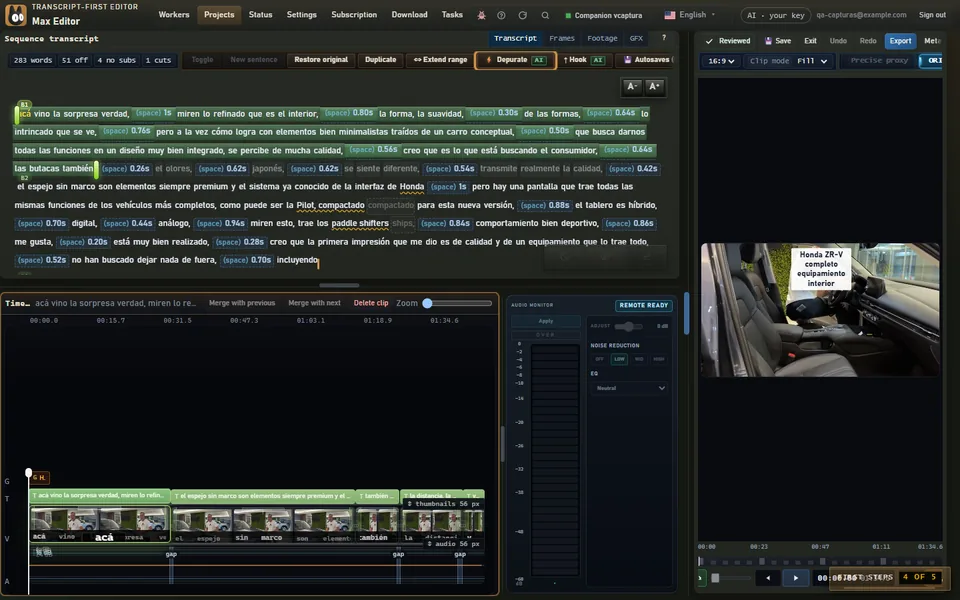
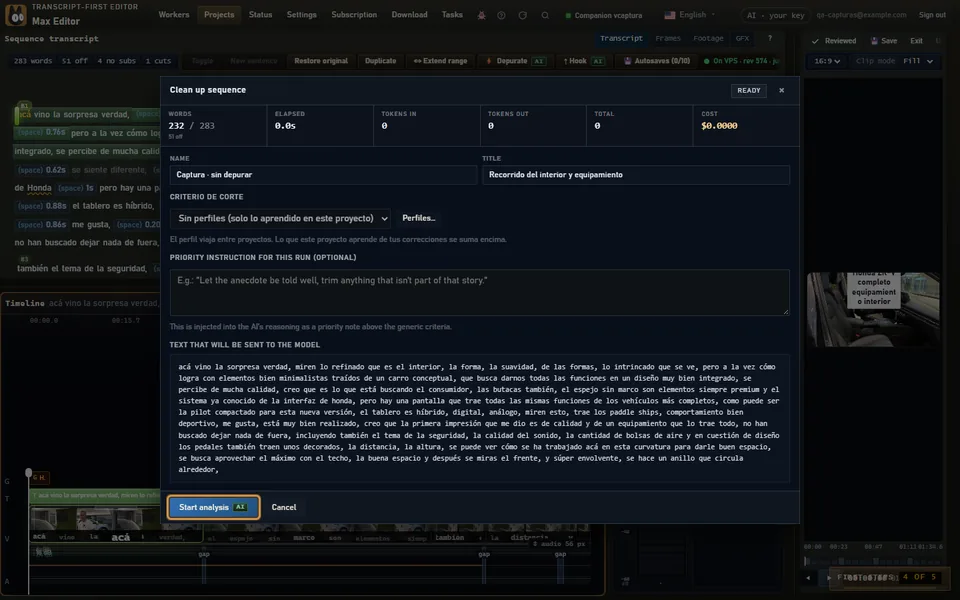
If you like, write what to prioritize and click Start analysiss}**. You can close the window: the analysis keeps running on the server.
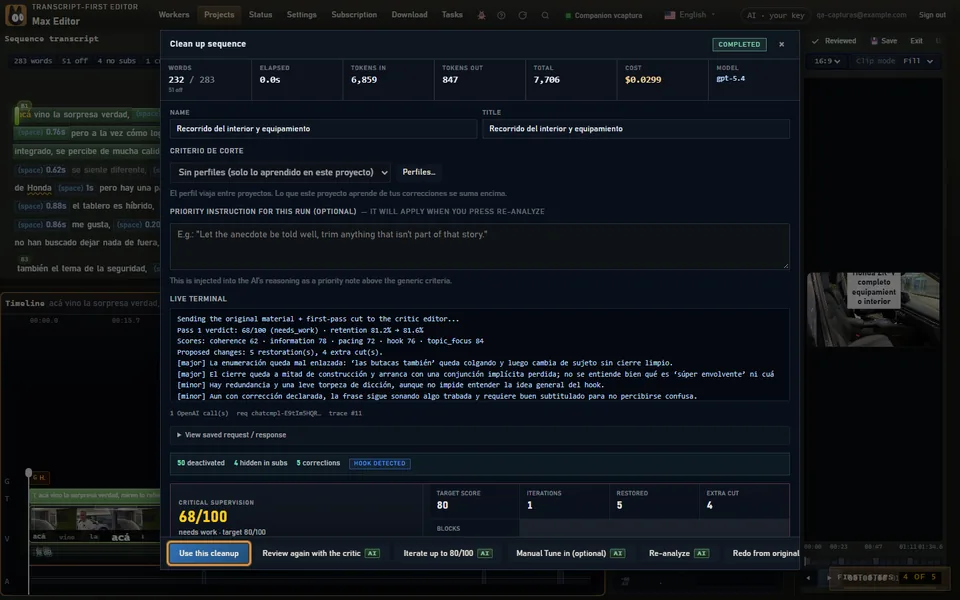
Review the proposal and click Use this cleanups}** to apply it. Removed words stay in view and can be turned back on.
Not convinced? Undoo}** (Ctrl/Cmd+Z) takes you back, and Restore original leaves the sequence the way it was.
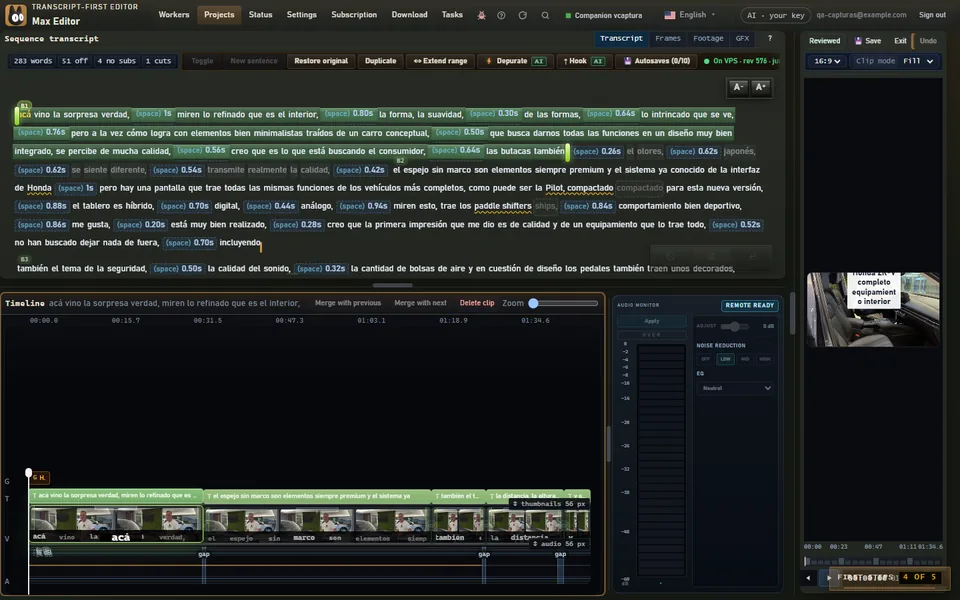
Depurate reads the sequence and proposes which words to remove: filler words, repetitions, false starts and silences. The video trims itself and keeps its pace. Nothing is truly deleted: what's removed stays visible and comes back with one click.
After applying, Review with critic editor runs a second AI pass that scores the cleanup and points out what to fix. The score measures; you decide.
A sequence open in the editor and AI: your OpenAI or Anthropic key, or Max's AI if your account includes it. Without AI, you can clean up by hand: see Edit without AI.