MAX
Editor

Cargando…
Tutorial
Time: 2 min
Needs: Companion
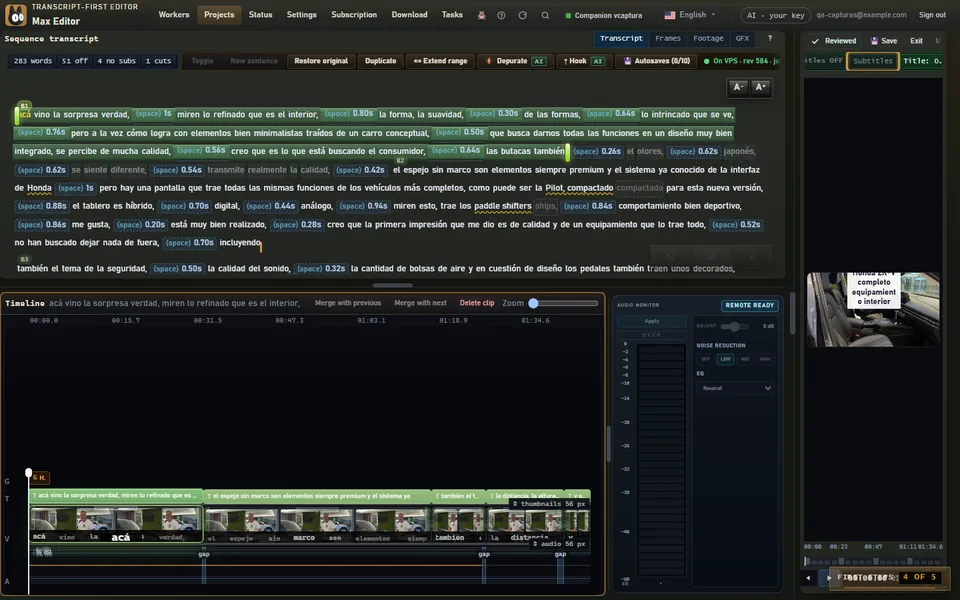
In the editor, above the viewer, click Subtitless}** to open the style gallery.
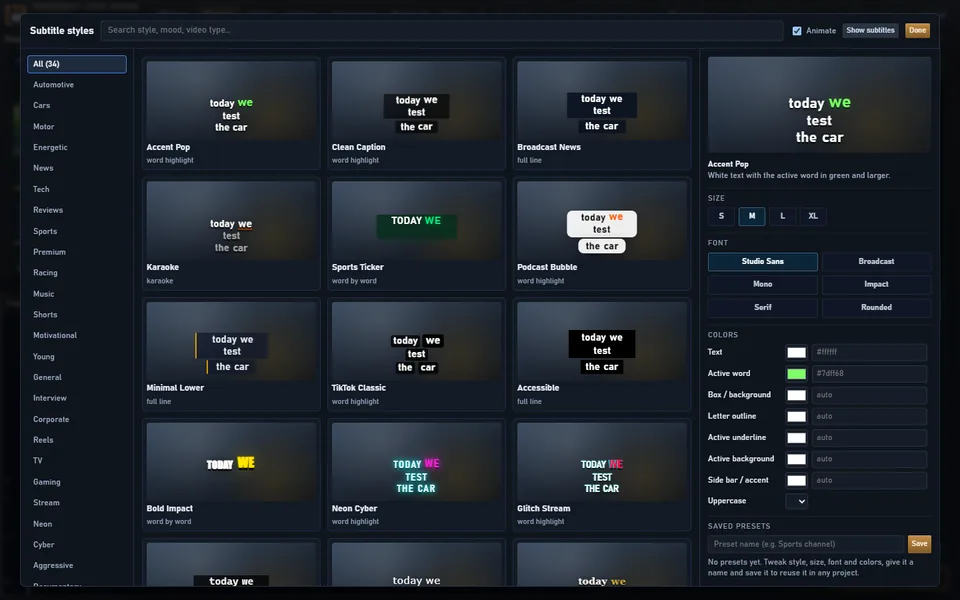
Choose a style and adjust the color, box, outline and position. Save it as a preset to use it in other projects.
Subtitles come from the transcript and are synced word by word. They export exactly as you see them in the viewer.
If a word came out wrong, fix it in the text: the subtitle changes with it.
Use Subtitles ON / Subtitles OFF to show or hide them in that sequence.
In 9:16, subtitles stay above the bottom 20 %, where TikTok and Reels draw their buttons and captions. The export uses the same limit.